

Sheets
Format numbers
Show numbers in a sheet as money, percents, dates, or plain numbers, with the decimal places you want.
- Open the sheet and select the cells.
- Click a number button in the toolbar:
- The currency button Format as currency shows money, like $1,250.00. Negative amounts show in parentheses, like ($1,250.00).
- The percent button Format as percent shows 0.25 as 25%.
- Increase decimal places (.0+) adds a digit after the decimal point.
- Decrease decimal places (.0-) takes one away.
Formatting changes only how a number looks. The value in the cell stays the same, so formulas still use the exact number.
Pick from the full list
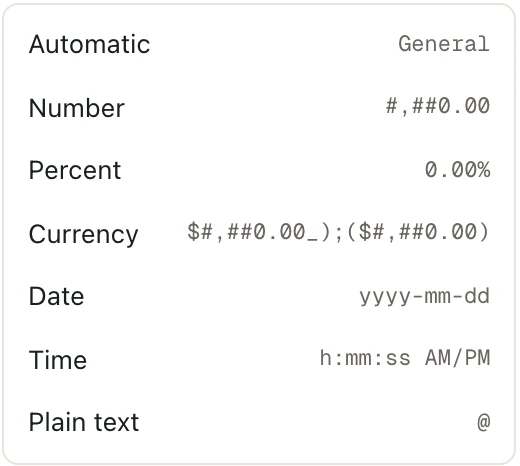
Click the number format button Number format, right after the decimal buttons, and choose a format:
| Format | Looks like |
|---|---|
| Automatic | However you typed it |
| Number | 1,250.00 |
| Percent | 25.00% |
| Currency | $1,250.00 |
| Date | 2026-03-31 |
| Time | 2:30:00 PM |
| Plain text | Shows exactly what you typed, and isn't treated as a number |
Type into a percent cell
Once a cell is formatted as a percent, type the percent you mean. Type 25, and the cell shows 25%. Typing 0.25 gives 25% too, just like in Excel.
Good to know
- The % button shows whole percents, like 25%. Percent in the list shows two decimal places, like 25.00%.
- A negative number formatted as a date or time shows
####, like in Excel. The number is still there. Click the cell to see it. - You need to be an Admin or Editor of the space to change a sheet. See Space roles.